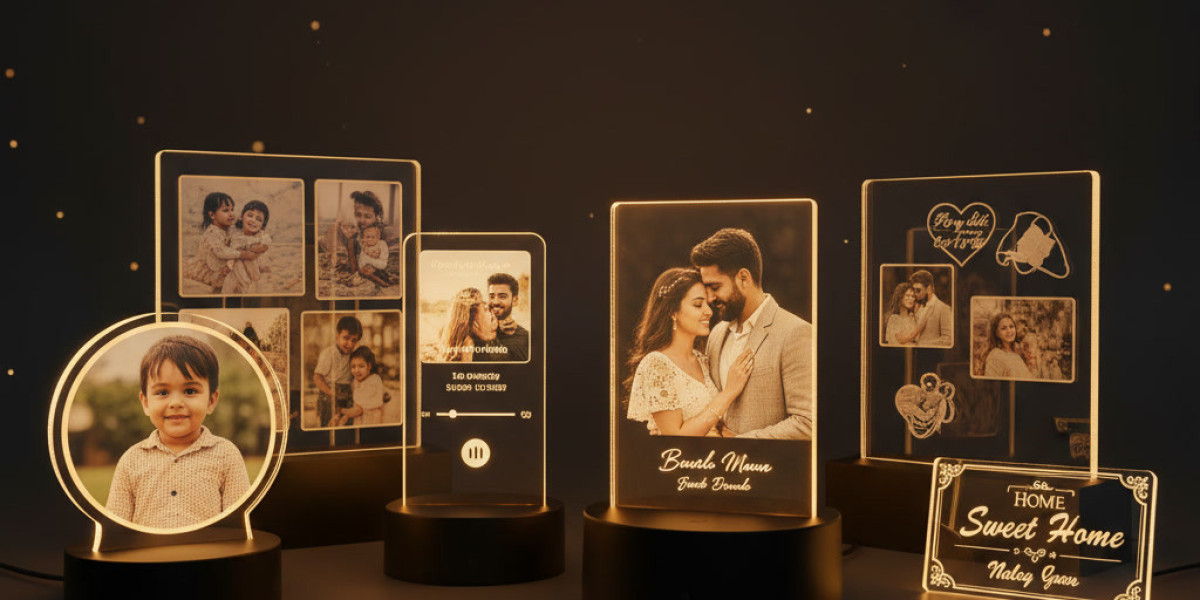

A personalised photo frame can preserve meaningful memories while adding a decorative touch to your home. Whether it displays a wedding photograph, a family portrait, or a picture from a special celebration, regular care helps keep it looking attractive over time. Since illuminated frames include lighting components as well as a photograph and frame structure, they need a little more attention than ordinary photo frames.
If you own an led photo frame, a few simple habits can help protect its appearance, maintain the clarity of the photograph, and reduce avoidable wear. From choosing the right cleaning materials to managing cables and placement, these practical tips can help you care for your frame without damaging its personalised details.
1. Clean the Frame With a Soft, Dry Cloth
Dust can gradually collect on the frame's surface, edges, and display area. If left unattended, it may make the photograph look dull and affect the overall appearance.
Use a clean, soft microfibre cloth to remove dust gently. Wipe the surface without applying too much pressure, especially around printed details, acrylic panels, or delicate decorative elements.
Avoid rough towels, paper tissues, abrasive scrubbers, and cleaning powders. These can leave scratches on certain materials. If the manufacturer provides specific cleaning instructions, follow those recommendations first.
For routine care, gentle dusting once or twice a week is often sufficient, depending on how quickly dust builds up in your room.
2. Avoid Spraying Liquid Cleaners Directly Onto the Frame
Illuminated frames may contain electrical components, LED lights, switches, connectors, or power ports. Spraying water or cleaning solution directly onto the frame can allow moisture to reach areas that should remain dry.
Instead, disconnect the power before cleaning, following the product's instructions. Use a dry cloth for general dust removal. If the manufacturer permits a slightly damp cloth for a particular surface, apply a small amount of moisture to the cloth rather than spraying the frame.
Never immerse the frame in water or allow liquid to enter gaps, seams, connectors, or the lighting assembly. Let any cleaned surface dry completely before reconnecting the power.
3. Keep the LED Photo Frame Away From Direct Sunlight
Where you place your frame can affect how well it maintains its appearance. Direct sunlight may cause photographs, printed colours, and some frame materials to fade or discolour over time. Excessive heat can also affect certain components.
Place your led photo frame in an area with indirect light and a stable indoor temperature. A shelf, side table, or wall away from a sunny window may be suitable, depending on the design.
If you want to display the frame near a window, check how much direct sunlight reaches it throughout the day. Moving it to a more shaded position can help protect both the photograph and the frame's finish.
4. Manage Cables and Power Connections Carefully
Some illuminated photo frames use a USB cable, an adapter, or another power arrangement. Handling these components carefully can help prevent connection problems and unnecessary wear.
Keep these points in mind:
Use the power source recommended by the manufacturer.
Avoid pulling the cable to disconnect the frame; hold the plug instead.
Do not bend, twist, or tightly wrap the cable.
Keep power connections away from water and damp surfaces.
Stop using a cable or adapter if it appears damaged.
If the frame has a rechargeable battery, follow the manufacturer's charging instructions. Do not assume every model uses the same battery or power requirements.
5. Handle Personalised Prints and Acrylic Panels Gently
Personalised frames may feature printed photographs, names, dates, messages, or decorative designs. These details can be sensitive to scratching, friction, and unsuitable cleaning products.
Before wiping the display surface, check whether it is glass, acrylic, or another material. Different surfaces may require different cleaning methods.
For acrylic panels, avoid harsh solvents and abrasive cloths unless the manufacturer specifically approves them. For printed sections, do not rub forcefully over the image or personalised text.
If your frame allows the photograph to be replaced, handle the print by its edges and avoid touching the image area unnecessarily.
6. Keep the Frame Away From Moisture and Dust-Prone Areas
Bathrooms, damp kitchens, and areas close to water sources may not be suitable for an illuminated photo frame unless the product is specifically designed for those conditions.
Moisture can affect electrical parts and may damage photographs or certain frame materials. Dust from construction, open windows, or busy work areas can also collect quickly on the display.
Choose a stable indoor location away from splashes, steam, and excessive dust. If you are renovating or cleaning the room, switch off and safely move the frame before dusty work begins.
A suitable display location can make regular maintenance easier and help preserve the frame for longer.
7. Switch Off the Lighting When It Is Not Needed
Leaving the lights on continuously may not be necessary, particularly if the frame is used as a decorative feature rather than a night light.
Follow the manufacturer's instructions for operating the lighting. Switch it off when it is not needed, especially when leaving home for an extended period. This can reduce unnecessary power use and limit the time the lighting components remain in operation.
If your frame includes a built-in switch or remote control, use it as directed. Do not modify the electrical components or attempt repairs unless the product instructions specifically permit the task.
8. Check the Frame Regularly for Signs of Wear
A quick inspection can help you identify small problems before they become more serious.
Every few weeks, check whether the frame is stable, the cable is intact, the lighting works as expected, and the display surface remains clean. If the frame is wall-mounted, check that its mounting arrangement remains secure.
If you notice flickering, unusual heat, a burning smell, exposed wires, or a damaged power connector, switch off and disconnect the frame if it is safe to do so. Stop using it until it has been checked by the manufacturer or a qualified professional.
Do not open the electrical assembly or attempt an improvised repair.
9. Store the Frame Safely When It Is Not in Use
If you need to store the frame during a move, renovation, or room rearrangement, prepare it carefully.
Disconnect the power according to the instructions, remove detachable accessories if recommended, and wrap the frame in a soft protective material. Use suitable packaging to prevent pressure on the display surface, corners, and personalised elements.
Store it in a dry place away from direct sunlight, heavy objects, and extreme temperatures. Avoid placing anything on top of the frame, as pressure may a panel or damage the internal components.
Keep cables and adapters together in a separate compartment so they do not scratch the frame during storage.
Conclusion
Keeping a personalised photo frame looking new does not require complicated maintenance. Gentle dusting, careful handling, sensible placement, and attention to electrical safety can help protect both the photograph and the lighting components.
For your led photo frame, always check the manufacturer's cleaning and operating instructions before using any liquid or changing its power setup. Keep it away from excessive moisture, direct sunlight, and unstable surfaces, and inspect it occasionally for signs of wear.
With these simple habits, your frame can continue displaying a favourite photograph and its personalised details as part of your home décor.
FAQs
1. How often should I clean an LED photo frame?
Dust it whenever needed, often once or twice a week in a typical home. Use a soft, dry microfibre cloth and follow the manufacturer's instructions for cleaning the display surface.
2. Can I use glass cleaner on a personalised LED photo frame?
Not unless the manufacturer confirms it is suitable for the frame's materials. Some cleaners may damage acrylic panels, printed details, or other finishes. A soft, dry cloth is a safer starting point.
3. Is it safe to keep an LED photo frame switched on all day?
It depends on the product's design and operating instructions. Switch it off when the lighting is not needed, and follow the manufacturer's recommendations for continuous use and power supply.
4. Where should I place an illuminated photo frame?
Choose a stable indoor location away from direct sunlight, excessive heat, moisture, and water splashes. Make sure the power cable can be connected safely without being stretched or pinched.
5. What should I do if my LED photo frame starts flickering?
Switch it off and disconnect it if safe to do so. Check for obvious external cable or connection damage without opening the frame. If the problem continues, contact the manufacturer or a qualified professional.
Ubicación del Autor
New Delhi