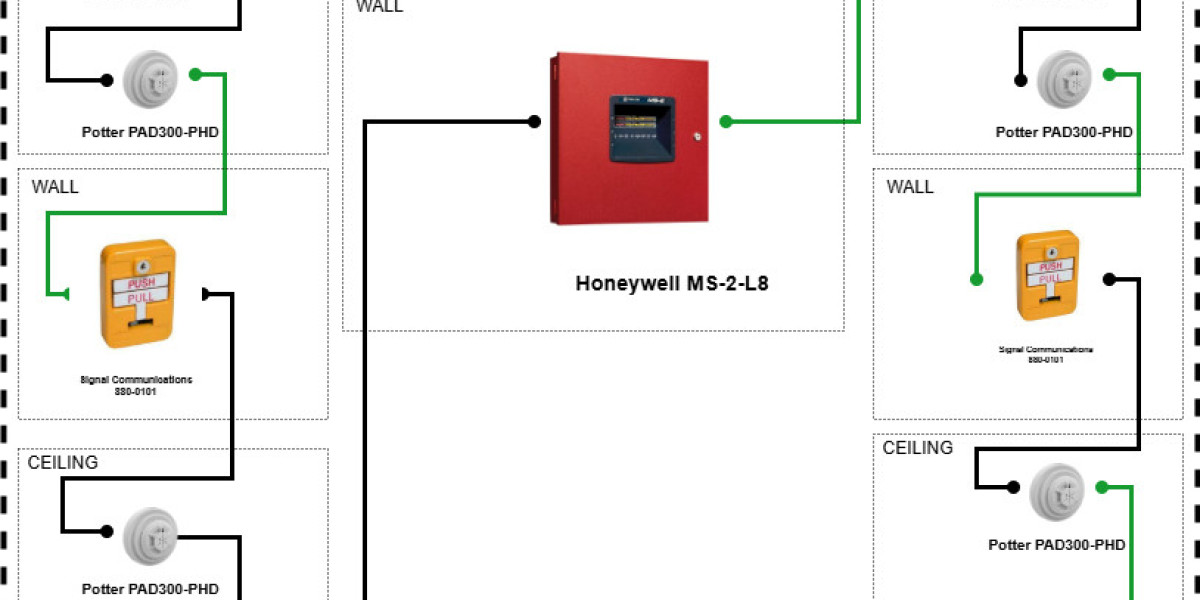

The fire alarm control panel is the heart of any fire alarm system. It monitors detectors, manages alarms, and communicates emergency signals. In 2025, installing a control panel requires careful planning, proper placement, and precise connections to ensure reliability and compliance. This guide explains the steps for installing a fire alarm control panel.
1. Choosing the Right Location
Place the control panel in a secure, accessible location such as a security room or near the main entrance.
Ensure the location is protected from physical damage, dust, moisture, and extreme temperatures.
Allow sufficient space around the panel for maintenance, wiring, and ventilation.
Ensure easy access for fire safety personnel and emergency responders.
2. Preparing the Wall or Mounting Surface
Verify that the wall can support the panel’s weight.
Use mounting brackets or screws recommended by the manufacturer.
Ensure the panel is mounted at an ergonomic height for easy operation and visibility.
3. Power Supply Connections
Connect the primary power supply according to manufacturer guidelines and electrical codes.
Install backup batteries to maintain operation during power outages.
Verify voltage levels and polarity before powering on the system.
Ensure a dedicated circuit is used to prevent interference from other electrical devices.
4. Wiring the System
Connect zone wiring from detectors, alarms, and manual call points to the panel terminals.
For addressable systems, ensure correct device addressing and polarity.
Connect notification appliance circuits (NAC) for sirens, bells, and strobes.
Wireless systems may require minimal wiring, primarily for hub connections and power.
Ensure all connections are secure and properly insulated.
5. Configuring the Control Panel
Program zones, device addresses, and alarm priorities according to the installation plan.
Set up notification settings, including siren volumes, strobe flash patterns, and delay timers.
Integrate the panel with building management systems, monitoring services, or smart apps if applicable.
6. Testing and Verification
Conduct functional tests for each zone and device to ensure proper monitoring and alarm activation.
Activate alarms to verify audibility and visibility throughout the building.
Test battery backup and emergency power to ensure continued operation.
Document all test results for compliance and future maintenance.
7. Common Mistakes to Avoid
Placing the panel in an inaccessible or unsecured area.
Ignoring backup battery installation or failing to test it regularly.
Incorrect wiring connections, reversed polarity, or mislabeled zones.
Skipping functional tests and commissioning procedures.
Overlooking integration with existing systems or monitoring services.
8. Maintenance Considerations
Keep the panel clean and free from dust or debris.
Perform regular inspections to check wiring integrity, battery status, and panel functionality.
Update software or firmware for smart panels to ensure security and compatibility.
Maintain a log of any events, tests, or system changes for audit and compliance purposes.
Conclusion
Installing a fire alarm control panel correctly is crucial for the overall reliability and effectiveness of the fire alarm system. Proper location, secure mounting, correct wiring, configuration, and thorough testing ensure that the panel can monitor all detectors, trigger alarms, and communicate effectively during emergencies. In 2025, attention to detail and adherence to codes guarantees that the control panel functions as the central hub of a safe and compliant fire alarm system.
Read more: https://bresdel.com/blogs/1305325/Common-Mistakes-to-Avoid-During-Fire-Alarm-Installation