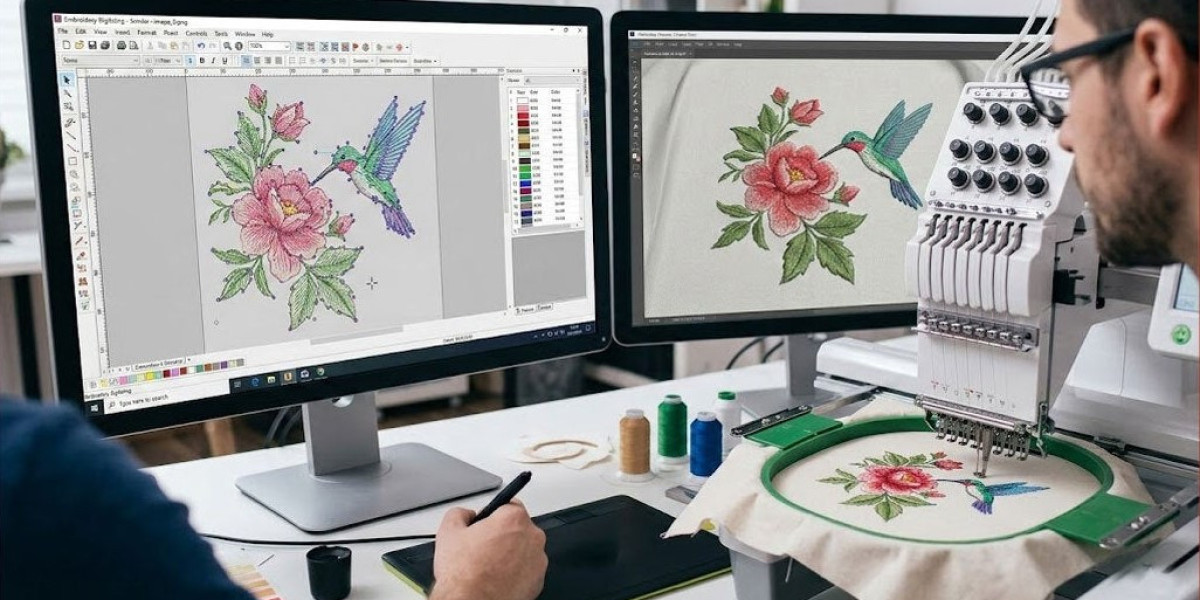

Embroidery has come a long way from grandma's hoop and needle. Today, machines zip through complex designs at incredible speeds, but the real magic happens before a single stitch touches fabric. The process of converting artwork into machine-readable files keeps evolving, and if you're not keeping up, you're falling behind. Whether you run a small embroidery shop, sell custom merch, or just love creating stitched art, staying current matters. New software features, customer demands, and material innovations change how digitizers work. Some trends come and go, but others reshape the entire industry. Let me walk you through what's hot right now in embroidery digitizing .
3D Puff That Pops Off the Fabric
Flat embroidery has its place, but dimensional designs steal the show. 3D puff embroidery, also called foam embroidery, places a layer of foam under the thread, then trims it away to leave raised letters or shapes. This trend exploded in the hat and streetwear markets. Logos look bold and tactile, almost like they’re jumping off the cap. The digitizing process for 3D puff requires special attention to stitch density and underlay. Too tight, and the foam compresses. Too loose, and the threads float. Modern digitizers use software that simulates foam behavior, allowing precise adjustments before the first test sew. If you haven’t added 3D puff to your service offerings, you’re missing a high-profit niche. Customers love the premium look, and they’re willing to pay for it.
Eco-Friendly and Sustainable Digitizing Practices
Sustainability isn’t just for organic cotton t-shirts anymore. Embroidery digitizing now embraces eco-conscious methods. Digitizers reduce thread waste by optimizing stitch paths—shorter travel moves between color changes mean less thread discarded. They also design files that use fewer color changes overall, which cuts down on thread consumption and machine energy use. Some software now includes a “waste reduction” mode that automatically rearranges stitching sequences. Beyond the technical side, customers increasingly ask for designs that work on recycled fabrics or biodegradable backings. Digitizers who understand how these materials behave under the needle gain a competitive edge. For example, recycled polyester puckers differently than virgin material. Knowing those nuances makes your digitized files more valuable.
Photorealistic Embroidery With Advanced Software
Remember when embroidery couldn’t handle fine details or gradients? Those days are fading fast. New digitizing software incorporates advanced rendering algorithms that translate photographs into stitch patterns with surprising accuracy. The secret lies in using multiple stitch types and variable densities to create shading effects. A photorealistic portrait on a jacket might use sixteen different thread colors and a mix of tatami fills, satin edges, and tiny running stitches for highlights. The digitizing process takes longer and requires serious skill, but the results wow clients. Fashion brands and personalized gift companies drive this trend. They want embroidery that looks like a printed photo but has the durability of thread. As software continues to improve, expect even more realistic outcomes at lower price points.
Small-Letter Digitizing for Minimalist Logos
Minimalism rules modern branding. Clean fonts, tiny logos, and subtle placement on cuffs or collars. But small lettering wreaks havoc on embroidery machines. Anything under a quarter inch tall becomes a blurry mess without expert digitizing. The latest trend involves specialized techniques for micro lettering. Digitizers use ultra-fine threads (60 weight or thinner) and adjust pull compensation aggressively. They also break letters into separate stitch blocks to prevent distortion. Some software now includes a “small text wizard” that automatically suggests optimal stitch angles and densities. Brands like Nike and Adidas use micro logos on athletic wear, so even small shops get requests for this look. Mastering small-letter digitizing opens doors to high-end clients who demand precision.
Layered and Textured Designs for High-End Fashion
Flat, single-layer embroidery looks basic next to modern runway pieces. Designers now ask for layered effects—stitches that build on each other to create depth. Think of a floral design where petals sit slightly above leaves, or a logo where an outer ring casts a shadow on the inner text. Achieving this requires multiple passes and careful stopping points in the digitized file. The machine sews one layer, the fabric moves, then it sews another layer on top without rehooping. Digitizers use specialized software features like “layer separation” and “step-back” commands. This trend also includes mixing stitch textures within one design: satin for glossy areas, tatami for matte backgrounds, and random stippling for a hand-drawn feel. High-end fashion houses pay premium rates for such complexity.
Auto-Digitizing That Actually Works (Sort Of)
For years, auto-digitizing earned a bad reputation. One-click conversions from JPEG to DST produced garbage—twisted letters, missing details, and thread nests. But recent software updates from major brands like Wilcom and Pulse have improved dramatically. Modern auto-digitizing uses AI trained on thousands of professional files. It recognizes common shapes like circles, letters, and stars. It applies appropriate stitch types and even suggests underlay settings. Is it perfect? No. Complex logos still need manual cleanup. But for simple designs or rough drafts, today’s auto-digitizing saves hours. Small business owners use it for in-house mockups before sending projects to professional digitizers like Needle Digitizing. The trend points toward hybrid workflows: auto-digitizing for speed, manual editing for quality.
Vector-to-Stitch Integration Without Middlemen
Traditionally, digitizing required converting vector art (AI, EPS) to a bitmap, then redrawing it in embroidery software. That double conversion lost quality and added time. New software plugins integrate directly with design tools like Adobe Illustrator and CorelDRAW. You can draw your logo in Illustrator, click a plugin button, and see stitch simulation instantly. The plugin translates Bézier curves into stitch paths while preserving original colors and layers. This trend empowers graphic designers to learn basic digitizing without buying standalone software. It also speeds up revisions. A client wants a thicker outline? Adjust the vector line weight, and the digitizing updates automatically. Expect deeper integration in the coming years as Adobe and embroidery software companies partner up.
Augmented Reality Previews for Clients
One of the biggest frustrations in embroidery is the gap between digital preview and finished product. Colors look different on screen. Stitch density appears wrong. Clients approve a design, then hate the sewn sample. Augmented reality (AR) tools now bridge that gap. Some digitizing platforms offer AR apps where you point your phone at a blank garment, and the app overlays the stitched design in real space. You can rotate the view, zoom in on stitch details, and even simulate different thread textures. This technology still feels cutting-edge, but early adopters win client trust faster. Walk a client through an AR preview, and they feel confident approving the digitizing file. Fewer samples, fewer revisions, faster turnaround. Expect AR to become standard within two years.
Multi-Head and Multi-Needle Optimization
Large production shops run multi-head machines that stitch multiple copies simultaneously. But a digitized file optimized for a single head doesn’t always run efficiently on twelve heads. The latest trend involves batch-digitizing strategies. Digitizers create files with minimized color changes and balanced stitch counts across heads. They also design with sequential sewing in mind—the machine should move from one head to the next without long pauses. Advanced software now includes a “production optimizer” that analyzes your specific machine model and suggests tweaks. Even small tweaks like rearranging color blocks can shave 20% off production time. For shops running thousands of pieces a week, that saving translates directly to profit. Don’t ignore machine-specific digitizing.
Vintage and Distressed Digitizing Techniques
Retro styles never die. They just get rediscovered. Vintage embroidery—think worn-in team jackets or faded denim patches—has a devoted following. Digitizers now mimic that look with intentional imperfections. They use even stitch lengths, slight gaps in fills, and occasional thread breaks in the design file. Some software includes “distress filters” that randomly alter stitch placement within a tolerance range. The result feels handmade and authentic, not robotic. This trend works especially well for streetwear brands, music merchandise, and heritage logos. Clients don't want sterile perfection. They want character. Mastering distressed digitizing sets you apart from competitors still chasing flawless machine finishes.
Automated Underlay Selection for Problem Fabrics
Underlay stitches form the foundation of any embroidery. Wrong underlay, and your design sinks into fleece or puckers on silk. Traditionally, digitizers learned underlay rules through years of trial and error. Now, software analyzes fabric type from a database and suggests optimal underlay settings automatically. You tell the program “performance pique” or “terry towel,” and it selects the right combination of edge run, zigzag, or tatami underlay. Some advanced systems even adjust underlay density based on the design's top stitch complexity. This trend reduces the learning curve for new digitizers and speeds up work for veterans. It also improves consistency across different fabric orders. Clients notice when their jackets and tote bags both sew out perfectly without extra setup fees.
The Rise of Remote Collaboration Platforms
Embroidery digitizing used to happen locally. You'd walk into a shop, hand over a USB drive, and come back tomorrow. Now, cloud-based platforms let you collaborate with digitizers anywhere. Clients upload artwork, request quotes, approve previews, and download files without emailing back and forth. Version tracking shows every change. Built-in messaging keeps questions and answers attached to specific projects. Some platforms even offer automated stitch counting and price estimation. This trend exploded during remote work shifts and isn't going away. Even local shops prefer platforms for the organization and history they provide. As a digitizer or a shop owner, adopting a collaboration platform makes you look professional and responsive.
Conclusion
Embroidery digitizing never stands still. Every year brings new software features, customer expectations, and material challenges. The trends we covered—3D puff, eco-friendly methods, photorealism, small-letter mastery, layered designs, smarter auto-digitizing, vector integration, AR previews, production optimization, vintage looks, automated underlay, and remote collaboration—all point in one direction. The industry rewards those who learn continuously. You don't need to master every trend at once. Pick one or two that fit your current clients or excite you the most. Invest time in learning new techniques. Test samples, gather feedback, and refine your skills. For businesses needing reliable, trend-aware digitizing services, Needle Digitizing stays ahead of the curve so you don't have to. But whether you digitize yourself or outsource, staying informed protects your quality and your reputation. So experiment with that 3D puff file. Try auto-digitizing a simple logo. Play with distressed stitch effects. The future of embroidery belongs to those who adapt. Are you ready?
Ubicación del Autor
New Delhi