
Every day, people create hours of audio through business meetings, online classes, interviews, podcasts, customer calls, and video recordings. These recordings often contain valuable information, but finding a specific detail can take considerable time. Listening to an entire file again just to locate one sentence is not always practical.
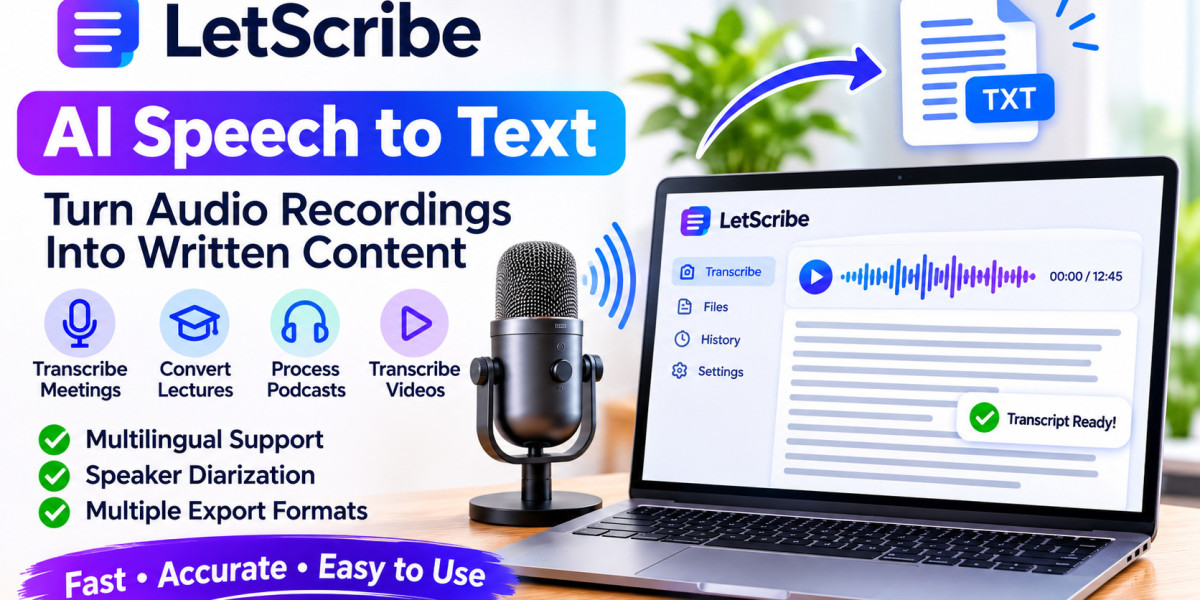
This is where AI Speech to Text technology becomes useful. It converts spoken words into written text, helping people review conversations, organize information, and make better use of their recordings. With platforms such as LetScribe, users can simplify audio transcription and turn spoken information into content they can work with.
From Audio Recordings to Searchable Information
Audio is convenient for capturing conversations, but written text offers a different level of accessibility. A transcript makes it easier to scan information, search for keywords, and identify important sections without replaying the complete recording.
Imagine recording a two-hour business discussion. Instead of listening to the entire conversation again, you can review its transcript to locate project updates, important decisions, or specific comments.
This can be especially useful for professionals who regularly handle large amounts of recorded information.
Some common applications include:
Converting business meetings into written notes.
Preparing text from interviews and discussions.
Creating study material from recorded lectures.
Reviewing customer feedback and support calls.
Developing written content from podcasts and videos.
Make Research and Information Gathering Easier
Researchers, journalists, and students often collect information through interviews, discussions, and recorded observations. Organizing this material manually can become a demanding task.
AI transcription provides an initial written version of recorded conversations. Researchers can then review responses, identify recurring topics, and organize information according to their project requirements.
For example, someone conducting customer interviews may need to compare opinions from several participants. Having written transcripts makes it easier to review individual responses and identify common feedback.
However, automated transcripts should not replace careful research. Important quotations, names, statistics, and statements should always be checked against the original recording.
Improve Customer Service Documentation
Customer support teams handle conversations about product questions, technical problems, complaints, and service requests. Keeping track of these discussions is important for understanding customer needs and improving service quality.
Transcription can help create written records of recorded customer interactions. Teams may use these records to review recurring concerns, understand customer feedback, and identify areas where additional support is needed.
For example, a company could review several support conversations to discover whether customers repeatedly experience the same problem.
When handling customer recordings, organizations should follow applicable privacy requirements, obtain necessary consent, and protect confidential information.
Create Written Resources From Educational Audio
Students and educators use recorded lectures, tutorials, and online lessons to share knowledge. While recordings allow learners to study at their own pace, reviewing long lessons can be time-consuming.
Transcription turns spoken explanations into written material that students can revisit whenever needed.
A written transcript can help learners:
Review difficult explanations.
Search for specific subjects and terminology.
Prepare revision notes.
Organize information from different lessons.
Create a written reference for future study.
Educators can also use transcripts as a starting point for lesson summaries and supporting documents.
For educational accuracy, students should compare important information with the original lesson and correct any transcription mistakes.
Repurpose Podcasts and Video Recordings
A single recording can provide ideas for several types of content. Podcasters, YouTubers, marketers, and digital publishers can use transcription to make existing material easier to adapt.
For example, a podcast episode might contain enough information for a blog article, a newsletter, and several social media posts. A recorded tutorial can provide the foundation for a written guide.
A practical process includes:
Record the original audio or video.
Generate a written transcript.
Review the transcript for errors.
Select the most useful information.
Rewrite the material for the intended platform.
Publish the edited content in the appropriate format.
This approach helps creators reuse information they have already produced. It is still important to add structure, context, and original editing rather than publishing an unedited transcript as a finished article.
Understand Multilingual Recordings
People frequently communicate across different languages, particularly in international workplaces, education, and digital content creation. A transcription platform with broad language support can make recorded information more accessible.
LetScribe supports more than 98 languages across its supported workflows. Its automatic language detection can help identify the language used in a recording, while supported transcription and translation workflows provide additional flexibility.
Users working with Urdu and English can also explore an Urdu-to-English transcription workflow when preparing content for English-speaking audiences.
It is important to remember that transcription and translation are not identical. Transcription converts speech into written words, whereas translation communicates the original meaning in another language. Both may require proofreading, especially when recordings include regional expressions or technical vocabulary.
Follow Conversations With Speaker Diarization
When a recording contains multiple participants, reading the transcript can become confusing if all statements appear together.
Speaker diarization helps distinguish between different voices and organize their contributions using speaker labels. This can make interviews, meetings, group discussions, and podcasts easier to review.
For instance, an interview transcript can separate the interviewer's questions from the participant's answers. Similarly, a meeting transcript can make it easier to follow different contributions.
Speaker labels are generated automatically and may not always be correct. Overlapping speech, interruptions, and similar voices can affect identification, so users should verify important sections.
Export Transcripts for Different Projects
Once audio has been converted into text, users may need to edit the transcript, share it, or import it into another application.
Choosing a transcription platform with flexible export options can make this process more convenient.
Different formats serve different purposes:
TXT: Simple text for notes and basic documentation.
DOCX: Editable documents for reports and articles.
PDF: Convenient files for sharing and archiving.
SRT: Subtitle files commonly used for videos.
VTT: Web video caption and subtitle files.
JSON: Structured information for compatible applications and workflows.
LetScribe supports these export formats across its supported workflows, giving users different ways to work with their generated transcripts.
How to Get More Reliable Transcription Results
The usefulness of a transcript depends partly on the quality of the original recording. Background noise, unclear speech, and overlapping conversations can make it difficult for an AI system to recognize every word correctly.
Consider these recommendations before processing a recording:
Use clear audio: Record in a quiet environment and use a suitable microphone.
Check language settings: Confirm that the selected language matches the recording when necessary.
Avoid overlapping speech: Encourage participants to speak one at a time where possible.
Review technical terms: Names, abbreviations, and industry-specific vocabulary may require corrections.
Check speaker labels: Make sure different speakers have been identified correctly.
Protect private information: Review consent requirements and privacy practices before uploading sensitive recordings.
A short review after transcription can make the final document considerably more useful.
Simplify Your Workflow With LetScribe
LetScribe is an AI-powered platform designed to help users convert spoken information into written content. Its supported workflows include multilingual transcription, automatic language detection, speaker diarization, translation, and multiple export formats.
Users can visit the LetScribe AI Speech to Text tool to explore the transcription process. After generating a transcript, they can review the text, make corrections, and choose a suitable export format for their project.
Whether the goal is documenting a meeting, reviewing an interview, preparing educational material, or repurposing a podcast, LetScribe helps make recorded information easier to manage.
Final Thoughts
Recorded audio contains useful knowledge, but accessing it should not require repeatedly listening to lengthy files. AI speech-to-text technology helps transform conversations into written information that can be searched, reviewed, edited, and shared.
From education and research to business communication and content creation, transcription can support more organized workflows. By combining automated tools with human proofreading, users can make better use of their recordings.
LetScribe offers a practical way to explore these capabilities and turn spoken content into useful written resources.
Frequently Asked Questions
1. What is the main purpose of AI speech to text?
Its main purpose is to convert spoken language from audio recordings into written text. This makes conversations easier to review, search, edit, and share.
2. Can AI transcription help with research interviews?
Yes. It can create written versions of interviews, helping researchers review answers, identify common themes, and organize information.
3. Can I use speech-to-text technology for customer calls?
Yes, recorded customer conversations can be transcribed for review and documentation, provided the organization follows relevant consent, privacy, and data-protection requirements.
4. Does LetScribe support Urdu transcription?
LetScribe supports an Urdu-to-English transcription workflow. Users should review the output to confirm that the wording and intended meaning are correct.
5. What is the benefit of speaker diarization?
It helps distinguish different speakers in a recording, making conversations easier to follow and organize.
6. Which formats can I export transcripts in?
LetScribe supports TXT, DOCX, PDF, SRT, VTT, and JSON across its supported workflows.
7. Can AI transcription make mistakes?
Yes. Audio quality, accents, background noise, and technical vocabulary can affect the results. Proofreading is recommended before using transcripts for important purposes.